Git & GitHub: A Concise Guide 🖥️

Hello, I'm Musab Rayan, a third-year CSE student at BSA Crescent Institute of Science and Technology.
I love building websites! Since I was a kid, I've been curious about how they work, and now that curiosity drives me into the exciting world of tech.
Currently honing my skills in DSA, I aspire to carve a successful career as a software engineer with a focus on innovation.
Intro: Why Version Control is a must for developers
Imagine you're writing a novel, but every time you make changes, you create a new file called first_last_final_draft.docx. Sounds chaotic, right? That's exactly why version control exists!
Git is like a time machine for your code. It lets you:
Track every single change you make
Go back to previous versions if something breaks
Collaborate with other developers without stepping on each other's toes
What is Git? 🤔
Git is a distributed version control system. In simple terms, it's a tool that helps you manage and track changes in your code. Think of it like a super-smart, hyper-organized assistant who remembers every single edit you've ever made.
Getting Started: Installation and Setup
Step 1: Install Git
Windows: Download from git-scm.com
Mac: Use Homebrew (
brew install git) or download from git-scm.com
Step 2: Configure Your Identity
git config --global user.name "Your Name"
git config --global user.email "youremail@example.com"
Creating Your First Repository
Local Repository
# Create a new directory
mkdir my-awesome-project
cd my-awesome-project

# Initialize Git repository
git init
Remote Repository on GitHub
Go to github.com
Click "+" → "New Repository"
Name your repository
Choose public or private
Click "Create repository"
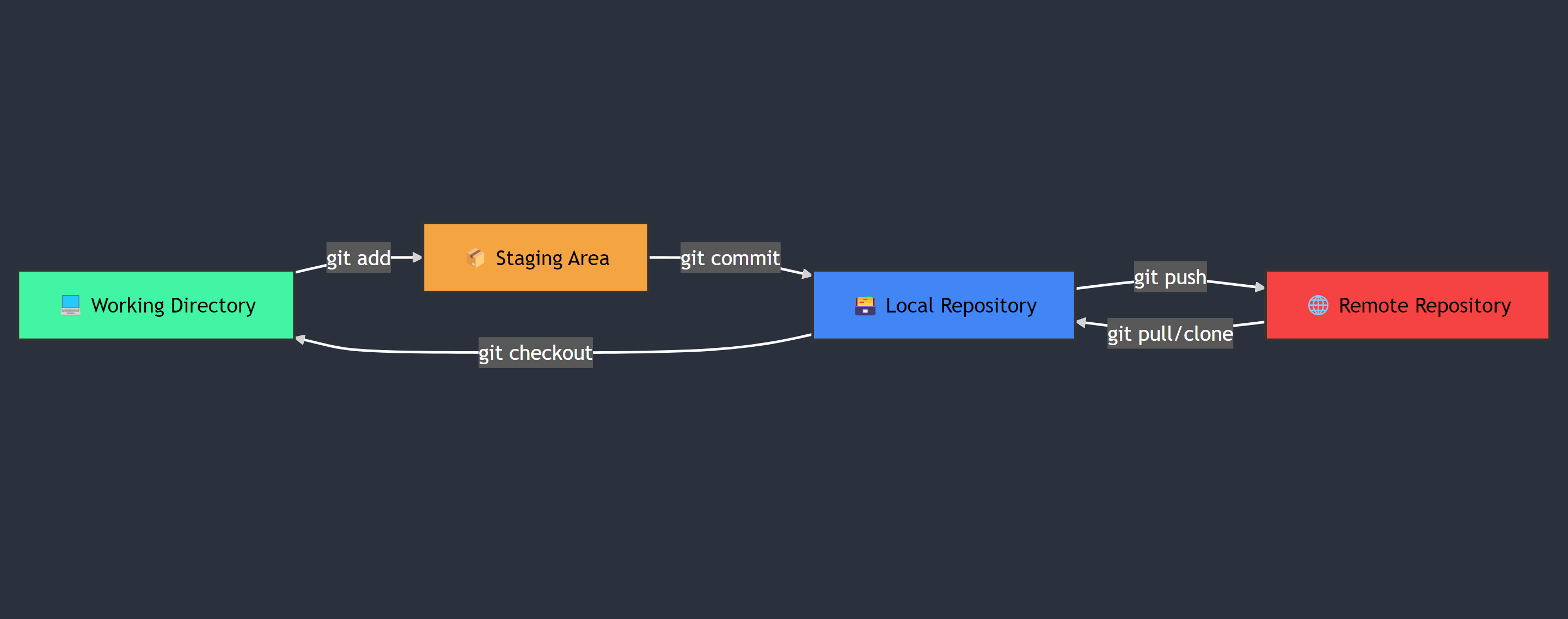
The Four-Stage Workflow Explained
Working Directory: Where you make your code changes
Staging Area: Preparing changes for commit
Local Repository: Permanent snapshot of your changes
Remote Repository: Updated code repository
The Git Ecosystem: A Visual Breakdown
Common Git Commands
# Check status of your files
git status

# Add files to staging area
git add filename      # Single file
git add .             # All files

# Commit changes
git commit -m "Description of changes"

# Push changes to remote repository
git push origin main
Git: Branching and Collaboration
Key Git Commands
git branch feature-name: Create a new branchgit checkout feature-name: Switch to a branchgit merge feature-name: Combine branchesgit reset: Undo commitsgit revert: Cancel out previous commits
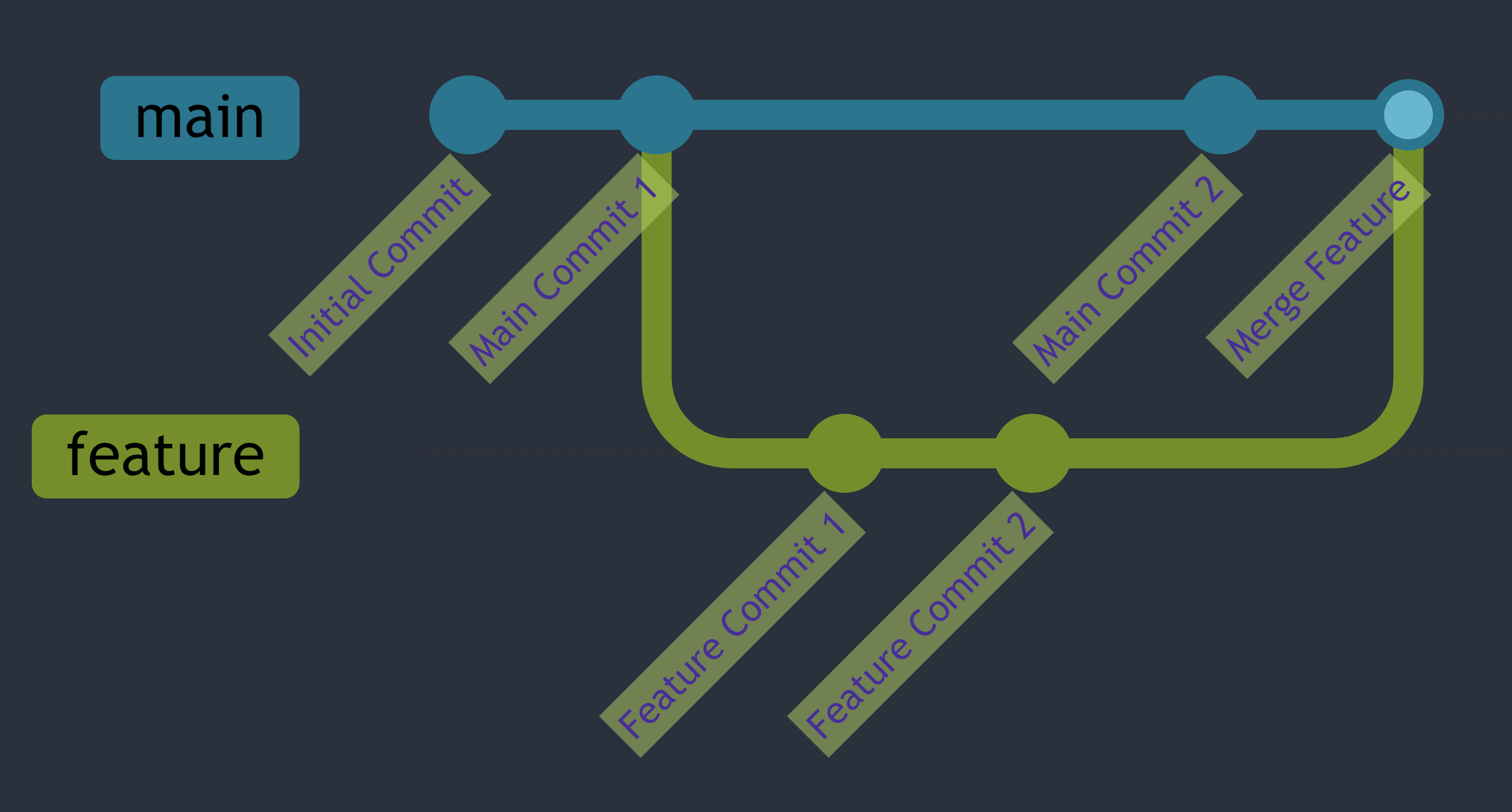
Team Workflow: Git Flow
Main Branch: Stable, production-ready code
Develop Branch: Latest stable changes
Feature Branches: Individual feature development
Why Git Matters
Track code changes
Collaborate effectively
Manage complex projects
Prevent code conflicts
Conclusion: Why Version Control is Essential
Version control, like Git, is essential for every developer. It helps you manage projects, collaborate seamlessly, and resolve code conflicts easily. With Git, you can track changes, stay organized, and improve teamwork, whether you’re working solo or in a team.
Thank you for reading! Don’t forget to check out my other blogs for more tech related blogs.✨